Every time you ask ChatGPT a question, say “Hey Siri,” or let Google finish your sentence, something else may happen in the background. In many cases, you are helping train the AI that responds to you.
Most people do not realize this. However, many AI platforms use conversations to improve their systems. As a result, your questions, your voice and your habits can be stored and reused by some of the world’s largest tech companies.
That said, you are not stuck with these settings. You can turn off much of this if you know where to look. Even better, it only takes about 15 minutes across the major platforms. Here is exactly how.
Sign up for my FREE CyberGuy Report
Get my best tech tips, urgent security alerts, and exclusive deals delivered straight to your inbox. For simple, real-world ways to spot scams early and stay protected, visit CyberGuy.com â trusted by millions who watch CyberGuy on TV daily. Plus, youll get instant access to my Ultimate Scam Survival Guide free when you join.
AI assistants are designed to feel like a private conversation. But depending on the platform, what’s collected often goes well beyond what you typed or said:
Almost none of this is turned off by default. You have to go find the switch yourself.
Here’s a quick thought experiment. In the last month, have you asked an AI assistant about:
Each detail seems harmless on its own. But together, they create a surprisingly detailed picture of your lifeâone that could be stored indefinitely, reviewed by human contractors, or exposed in a data breach.
In 2023, Samsung engineers accidentally by pasting it into ChatGPT. Most people don’t have an IT department watching out for them. But everyone can take a few minutes to adjust their settings.
This doesn’t mean you should stop using AI tools. They can be incredibly useful. But it’s worth understanding what’s being collectedâand what you can turn off right now.
By default, your conversations may be used to help improve AI models, but you can turn this off at any time.
To turn this off:
You can also go to Settings > Data Controls > Export data to download everything OpenAI has stored, or select Delete all chats to wipe your history. Note that even with training off, OpenAI retains conversations for up to 30 days for safety monitoring.
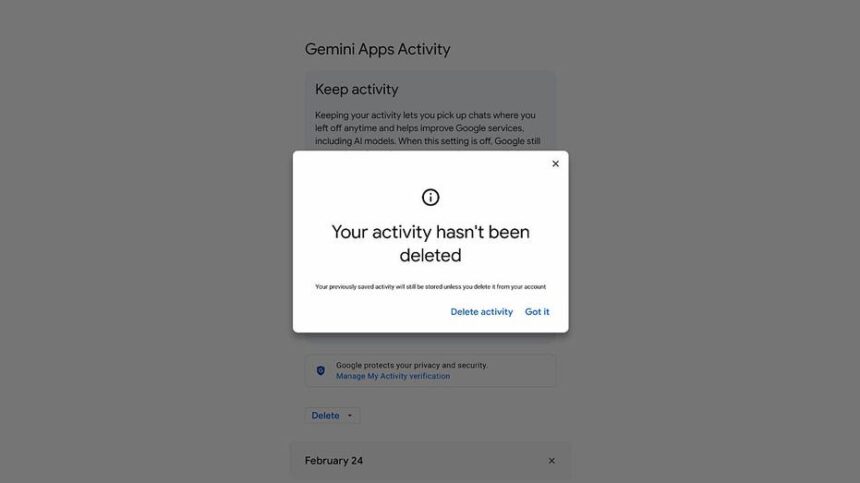
Google’s AI tools, including Gemini and Search’s AI Overviews, are tied to your Google account activity.
To manage this:
Keep in mind: disabling activity tracking may affect personalization across Gmail, Maps, and other Google services.
Copilot is built into Windows, , so it can access a wide range of your documents and activity.
To adjust your settings:
In Windows 11: Settings > Privacy & Security > Diagnostics & Feedback and turn off Optional diagnostic data
Microsoft does not offer one single switch that turns off all Copilot data collection, so you need to review settings in multiple places. Enterprise users should check with their IT administrator, as organizational settings may also apply.
Alexa stores voice recordings by default, and in some cases, Amazon may have human reviewers listen to those recordings as part of its quality review process.
To turn off voice recording use:
To stop Alexa from keeping your recordings:
Apple is generally more privacy-focused than other platforms, but to improve its performance.
To limit Siri data collection:
To delete your existing Siri history:
Go to Settings Tap Siri or Apple Intelligence & Siri Tap Siri & Dictation Histo